Products

Stop writing complex scripts! Achieve true operational automation with OpsNow Cloud Resource Scheduler

OpsNow Team
March 10, 2026

If you are a cloud engineer, you've likely experienced the stress of managing scripts to turn development and testing resources on and off around business hours. Stop wasting your precious time on these repetitive manual tasks. 

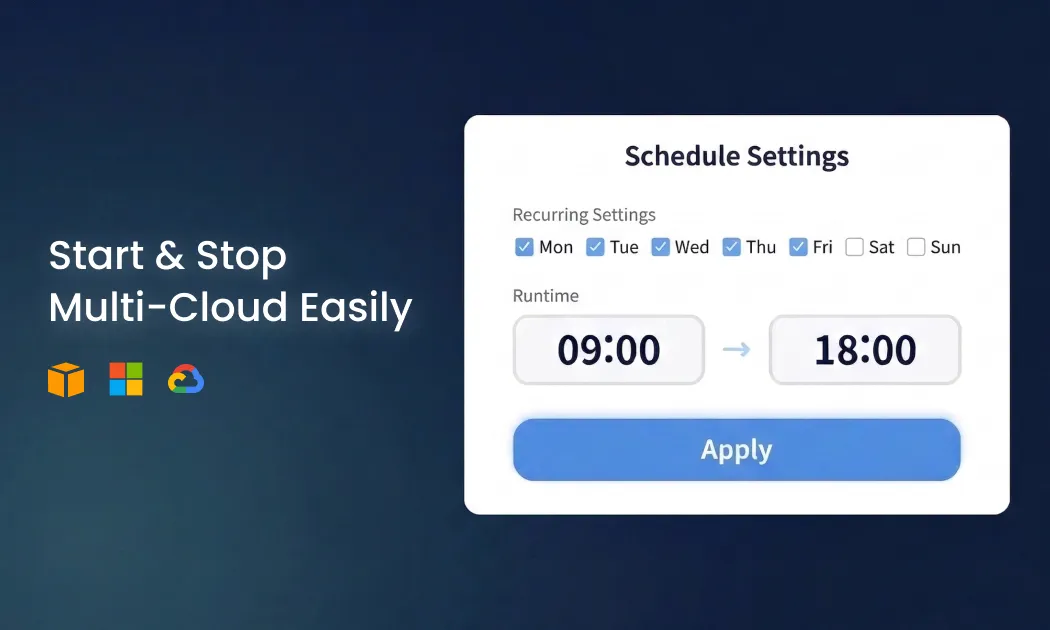
OpsNow's 'Resource Scheduler' is a powerful operational tool that lets you complete cloud resource automation without complex script writing, simply by filling in blanks like desired days and times on the UI. It automatically stops and starts resources outside of business hours when they are not in use, such as at night or on weekends.

3 Key Strengths for Smart Cloud Operations

  • Operational Automation: Leave the repetitive daily resource On/Off tasks to the system, reducing operator effort and improving efficiency in core tasks.
  • Unified Management: Schedule and control multi-cloud resources like AWS, Azure, and GCP from a single screen without needing to log into each account.
  • Cost Saving: Maximize savings by directly cutting off on-demand costs during idle times.

Broad Coverage

You can control all the essential resources across various vendors.
  • AWS: EC2, RDS, RDS Cluster
  • Azure: VM, MySQL, MariaDB, PostgreSQL
  • GCP: VM Instance

Easy 2-Step Scheduling for Everyone

  • Step 1 (Basic Info Setup): Enter the schedule name and time zone, specify the days and start/end times when the actual resources should be running, and switch to savings mode for the remaining times.
  • Step 2 (Target Resource Setup): You can search the list and individually select the instances you want to control. If you have many targets to manage, utilize the feature to specify a particular tag (Key/Value) to automatically include all resources meeting the condition in the schedule at once. Once the setup is complete, you can view the detailed list of target resources to be applied.

Powerful Management and Monitoring Features 

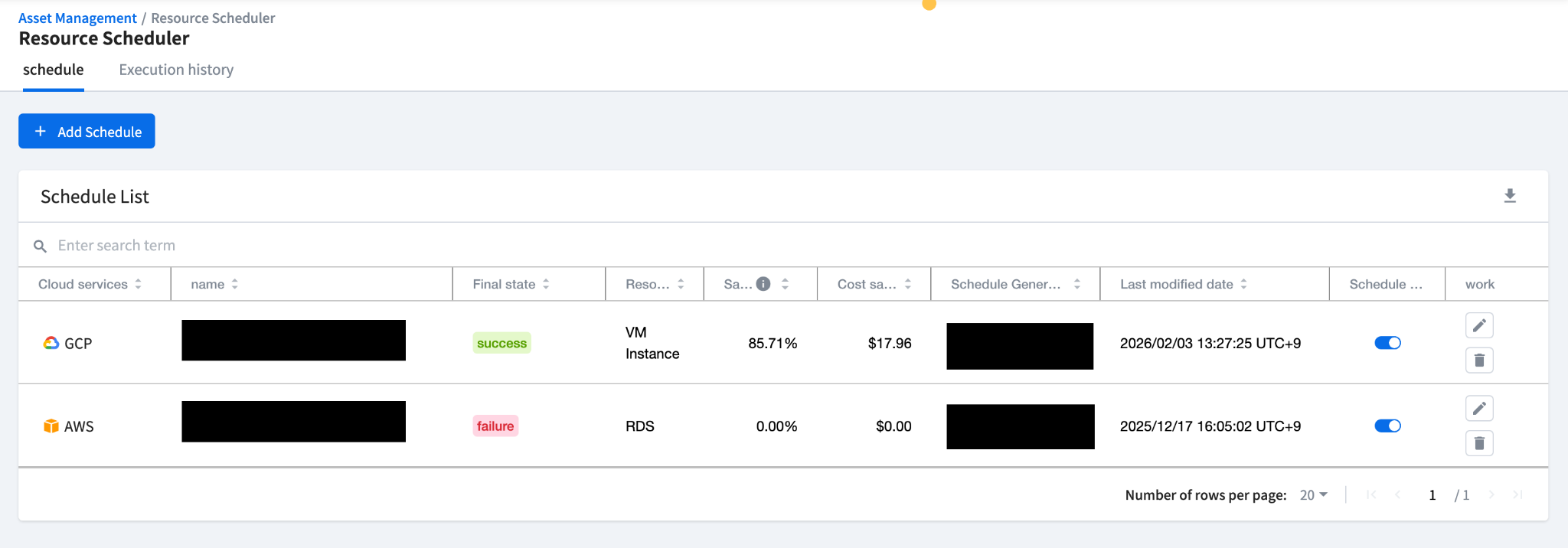
After setting up a schedule, you can grasp the expected savings at a glance and flexibly apply immediate schedule activation or pause using the schedule On/Off toggle. It also perfectly supports monitoring, which is the core of operations. You can directly check the action type (start/stop) and success/failure status in the execution history, and if an error occurs, you can open the 'View Log' pop-up window to instantly analyze the detailed execution records and the cause of the failure.

Stop writing complex scripts! Achieve true operational automation with OpsNow Cloud Resource Scheduler

OpsNow Team
March 10, 2026

If you are a cloud engineer, you've likely experienced the stress of managing scripts to turn development and testing resources on and off around business hours. Stop wasting your precious time on these repetitive manual tasks. 

OpsNow's 'Resource Scheduler' is a powerful operational tool that lets you complete cloud resource automation without complex script writing, simply by filling in blanks like desired days and times on the UI. It automatically stops and starts resources outside of business hours when they are not in use, such as at night or on weekends.

3 Key Strengths for Smart Cloud Operations

  • Operational Automation: Leave the repetitive daily resource On/Off tasks to the system, reducing operator effort and improving efficiency in core tasks.
  • Unified Management: Schedule and control multi-cloud resources like AWS, Azure, and GCP from a single screen without needing to log into each account.
  • Cost Saving: Maximize savings by directly cutting off on-demand costs during idle times.

Broad Coverage

You can control all the essential resources across various vendors.

  • AWS: EC2, RDS, RDS Cluster
  • Azure: VM, MySQL, MariaDB, PostgreSQL
  • GCP: VM Instance

Easy 2-Step Scheduling for Everyone

  • Step 1 (Basic Info Setup): Enter the schedule name and time zone, specify the days and start/end times when the actual resources should be running, and switch to savings mode for the remaining times.
  • Step 2 (Target Resource Setup): You can search the list and individually select the instances you want to control. If you have many targets to manage, utilize the feature to specify a particular tag (Key/Value) to automatically include all resources meeting the condition in the schedule at once. Once the setup is complete, you can view the detailed list of target resources to be applied.

Powerful Management and Monitoring Features 

After setting up a schedule, you can grasp the expected savings at a glance and flexibly apply immediate schedule activation or pause using the schedule On/Off toggle. It also perfectly supports monitoring, which is the core of operations. You can directly check the action type (start/stop) and success/failure status in the execution history, and if an error occurs, you can open the 'View Log' pop-up window to instantly analyze the detailed execution records and the cause of the failure.

Stop writing complex scripts! Achieve true operational automation with OpsNow Cloud Resource Scheduler

If you are a cloud engineer, you've likely experienced the stress of managing scripts to turn development and testing resources on and off around business hours. Stop wasting your precious time on these repetitive manual tasks. 

OpsNow's 'Resource Scheduler' is a powerful operational tool that lets you complete cloud resource automation without complex script writing, simply by filling in blanks like desired days and times on the UI. It automatically stops and starts resources outside of business hours when they are not in use, such as at night or on weekends.

3 Key Strengths for Smart Cloud Operations

  • Operational Automation: Leave the repetitive daily resource On/Off tasks to the system, reducing operator effort and improving efficiency in core tasks.
  • Unified Management: Schedule and control multi-cloud resources like AWS, Azure, and GCP from a single screen without needing to log into each account.
  • Cost Saving: Maximize savings by directly cutting off on-demand costs during idle times.

Broad Coverage

You can control all the essential resources across various vendors.

  • AWS: EC2, RDS, RDS Cluster
  • Azure: VM, MySQL, MariaDB, PostgreSQL
  • GCP: VM Instance

Easy 2-Step Scheduling for Everyone

  • Step 1 (Basic Info Setup): Enter the schedule name and time zone, specify the days and start/end times when the actual resources should be running, and switch to savings mode for the remaining times.
  • Step 2 (Target Resource Setup): You can search the list and individually select the instances you want to control. If you have many targets to manage, utilize the feature to specify a particular tag (Key/Value) to automatically include all resources meeting the condition in the schedule at once. Once the setup is complete, you can view the detailed list of target resources to be applied.

Powerful Management and Monitoring Features 

After setting up a schedule, you can grasp the expected savings at a glance and flexibly apply immediate schedule activation or pause using the schedule On/Off toggle. It also perfectly supports monitoring, which is the core of operations. You can directly check the action type (start/stop) and success/failure status in the execution history, and if an error occurs, you can open the 'View Log' pop-up window to instantly analyze the detailed execution records and the cause of the failure.

Download it for free
Submit the information below and get the files you need right away
Name *
Company *
Business Email *
By registering an inquiry, you agree to allow OpsNow to store and process your information for contact purposes.
Please read our Privacy Policy for more information.
Thank you.
The file has been downloaded.
Please enter all required fields.